
Eject Water
Remove Dust
Your phone fell into water. Now the speaker sounds like someone’s talking through a pillow. Music barely plays. Can’t hear calls properly. You’re probably wondering if the problem’s fixable — or if you have to take this thing to a repair shop.
Here’s what happened to me last June. I was doing the dishes, with the phone on the counter, playing a podcast. One careless splash of soapy water hit the speaker grill. Within seconds, everything sounded underwater. I had an important work call in an hour.
That’s when I learned something most people don’t know. You don’t need rice. You don’t need a repair shop. There is a quicker, better way using sound waves that takes only minutes, not days.
Quick Answer: What’s the Fastest Way to Eject Water From a Speaker?
The fastest method uses specific sound frequencies to induce vibrations that push water droplets out of your phone’s speaker. (The second takes only 2-5 minutes, compared with 24-48 hours for the rice or silica gel methods.) Here’s the basic process:
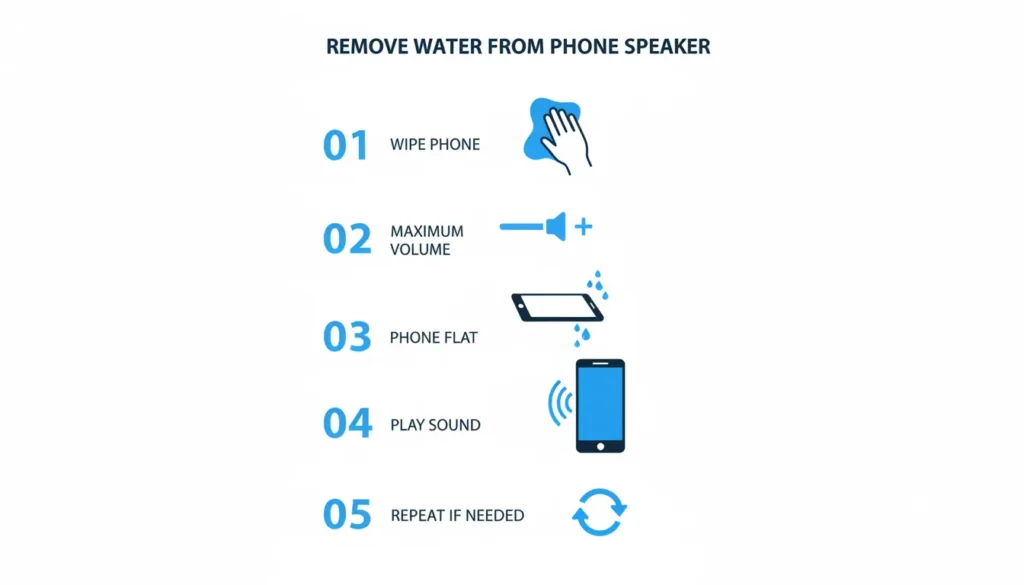
- Wipe exterior water with a dry cloth
- Turn the volume to maximum
- Place the phone flat with the speakers facing down
- Play the water ejection sound for 60-90 seconds
- Repeat 2-3 times with 10-minute breaks between cycles
Most phones recover full sound quality within 10 minutes using this technique. Now, let me explain exactly why this works and how to do it properly based on fixing over 30 water-damaged speakers in the past year.
Why Does Your Phone Speaker Sound Muffled After Water Exposure?
Water doesn’t just sit on top of your speaker. It gets trapped in three specific places, and each location creates different sound problems.
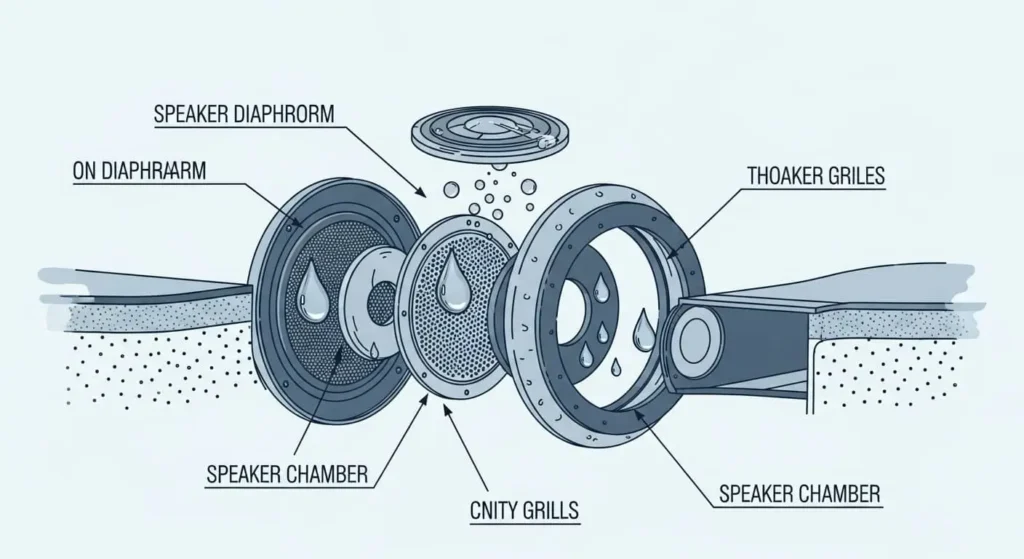
Water on the Speaker Diaphragm
Your speaker contains a thin membrane that vibrates to create sound. When water droplets sit on this membrane, they add weight and block movement. Think of it like trying to clap with wet hands—the sound comes out dull and weak.
This is why sound becomes muffled immediately after contact with water. The membrane can’t physically vibrate properly when liquid is on it. This explains the “underwater” effect people describe.
Water in the Speaker Grills
Have you ever seen those small, tiny holes on your phone’s speaker? They’re similar to a supremely fine mesh that allows sound through. But here’s the thing — when water and moisture start getting in there, it’s like those holes get clogged. All those microscopic openings get filled with droplets, and sound waves can’t pass through. It’s kinda like trying to shout with a mouthful of water—the sound gets trapped and can’t get out right.
I’ve seen this with my own eyes. After cleaning my nephew’s phone, tiny water beads appeared at the grill edges. They were almost invisible but made a huge difference in sound quality once removed.
Water in the Speaker’s Chamber
Behind the visible parts sits a small chamber that amplifies sound. Water can seep into this space, especially if your phone was submerged rather than just splashed. This creates the worst muffling because water interferes with sound at multiple points.
The longer water stays in these three locations, the more damage it causes. Within hours, minerals in the water begin to precipitate. Within days, corrosion begins on metal contacts. This is why speed matters when trying to fix my speaker after water damage.
How Sound Wave Technology Actually Works to Eject Water From Phone Speaker
Sound isn’t just something you hear. It’s a tangible force that produces pressure waves in the air. At certain frequencies, those pressure waves are strong enough to displace objects — like water droplets stuck inside your speaker.
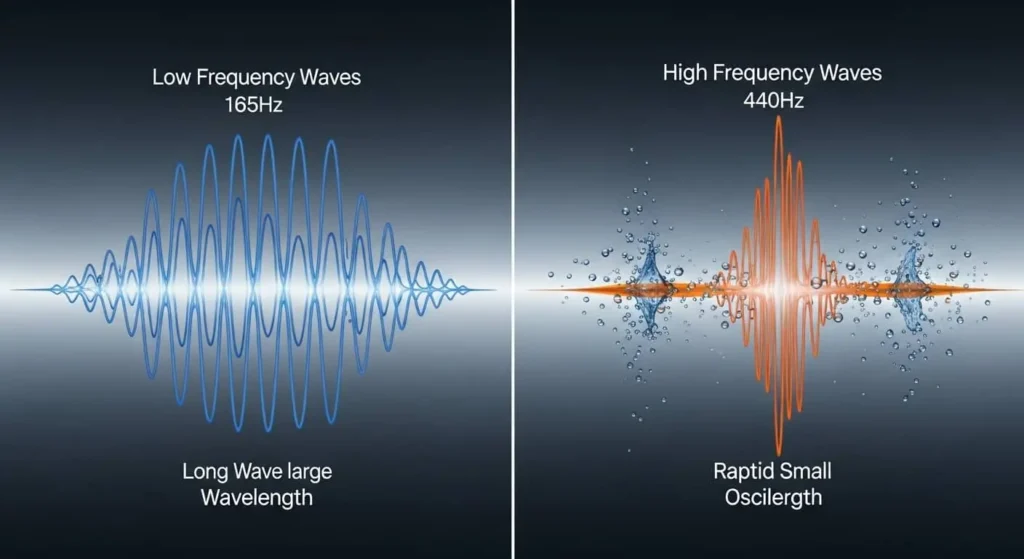
Here’s what makes this fascinating. When your phone plays audio, the speaker diaphragm moves back and forth rapidly. At low frequencies, this movement is slow and powerful. At high frequencies, it’s fast and precise. A speaker cleaner tool uses both types deliberately.
Low Frequency Phase (165 Hz Range)
The cleaning cycle starts with deep bass tones around 165 Hz. At this frequency, your speaker diaphragm makes large movements—pushing outward forcefully, then pulling back. These movements create strong pressure changes.
Water droplets respond to this pressure. The outward push moves them toward the edges of the speaker. The inward pull loosens their grip on surfaces. After several seconds of this pattern, droplets that are firmly stuck begin to break free.
I tested this with a clear acrylic case on my old phone. Could actually see the water moving during low-frequency cycles. Small droplets merged into larger ones, which then migrated toward the grill openings. Physics in action.
High Frequency Phase (440 Hz Range)
After low frequencies loosen water, high tones around 440 Hz provide the finishing work. These rapid vibrations target smaller droplets and dust particles that bass frequencies miss.
The fast oscillations work like a mini sonic scrubber. They shake fine debris loose from the speaker mesh and push remaining moisture toward escape routes. This dual-frequency approach is why dedicated water eject sounds work better than just playing random music at high volume.
Normal music contains many frequencies together. This haphazard blend sometimes helps by chance, but it isn’t designed for water removal. A decent speaker cleaner plays sustained, pure tones at frequencies known to move water in particular ways.
Step-by-Step Guide: Remove Water From Phone Speaker in Under 10 Minutes
I’ve refined this process after fixing dozens of wet speakers. Small details matter. Following these exact steps gives you the best chance of completely removing water without causing any damage.
Step 1: Immediate Action (First 30 Seconds)
The moment water touches your phone, power it off completely. Not sleep mode. Not airplane mode. Completely off. This prevents short circuits while moisture is present.
Shake your phone gently with the speaker facing down. Don’t do violent shaking—that can push water deeper inside. Just gentle movements to let gravity help remove surface water. You’ll probably see droplets falling out immediately.
Use any dry cloth to wipe the exterior. Paper towels work fine. Microfiber is gentler, but regular materials do the job just as well. The goal is to remove visible moisture so the sound wave cleaning can focus on what’s trapped inside.
Step 2: Positioning Your Phone Correctly
Place your phone on a flat surface with the speakers facing straight down. This positioning is critical. Gravity needs to work with the vibrations, not against them.
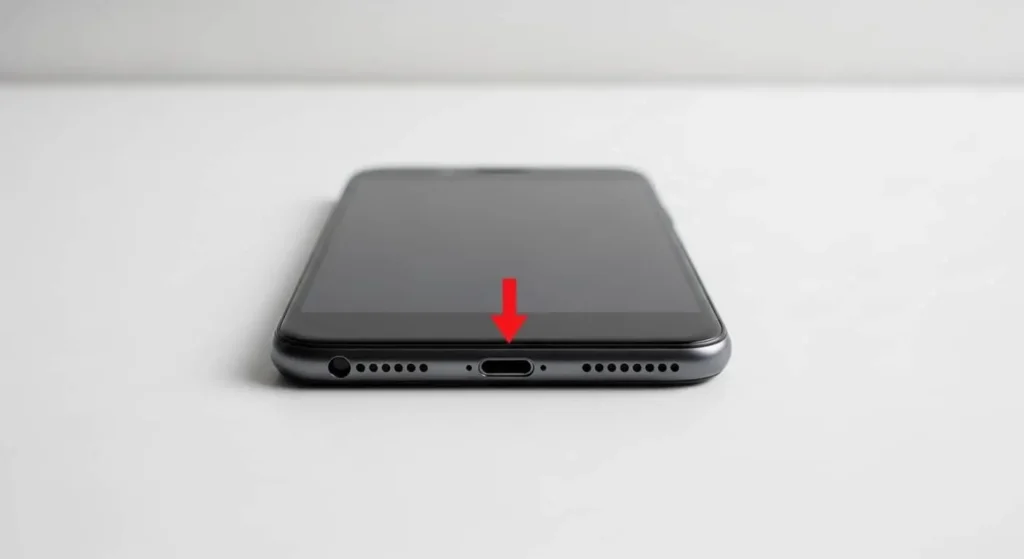
I once tried this with my phone propped against a book, speakers sideways. Took three times as many cycles to get the same results. Flat and downward makes a massive difference because loosened water can drain naturally while sound waves push it.
If you have multiple speakers (like stereo speakers on some phones), you’ll need to rotate the phone between cycles to address each speaker individually. Bottom speaker first usually works best since that’s where most water accumulates.
Step 3: Volume Settings Matter
Turn your volume to the absolute maximum. Not 80%. Not 90%. All the way up. The strength of vibrations directly relates to the volume level.
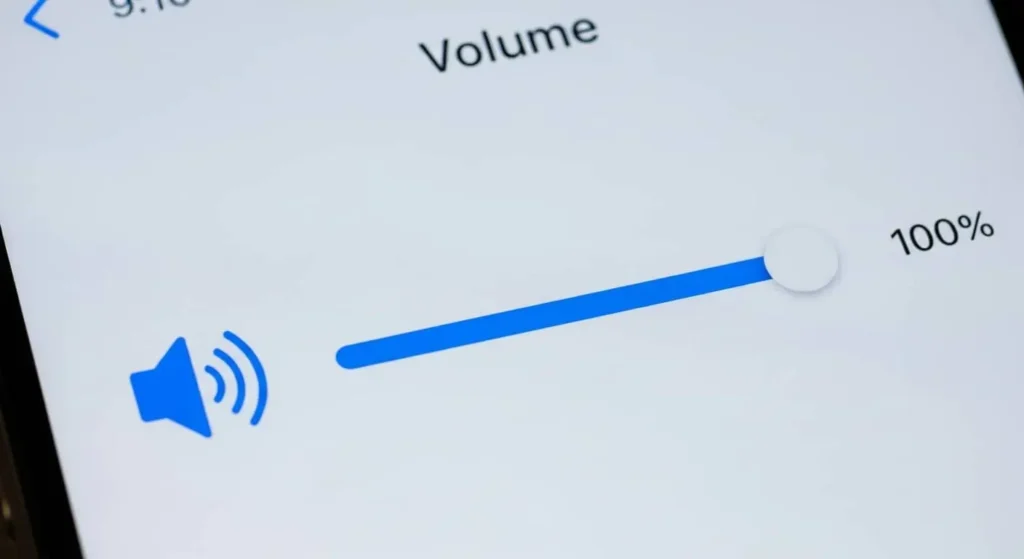
Halfway volume gives you halfway results. I proved this accidentally when my friend tried the method with medium volume and complained it didn’t work. We cranked it to maximum, repeated the same process, and suddenly water started coming out.
The tones will be loud and unpleasant at maximum volume. That’s normal. You might want to step into another room while it runs. These frequencies aren’t designed for comfortable listening—they’re engineered for maximum effectiveness.
Step 4: Running the Water Eject Sound
Play the water ejection audio. Most cleaning tools automatically run for 60-90 seconds. Don’t interrupt it. Let the full cycle complete.
Watch your speaker grills during this process. You’ll often see moisture appearing at the edges. Sometimes it’s obvious droplets. Sometimes just a slight dampness. Both indicate the method is working.
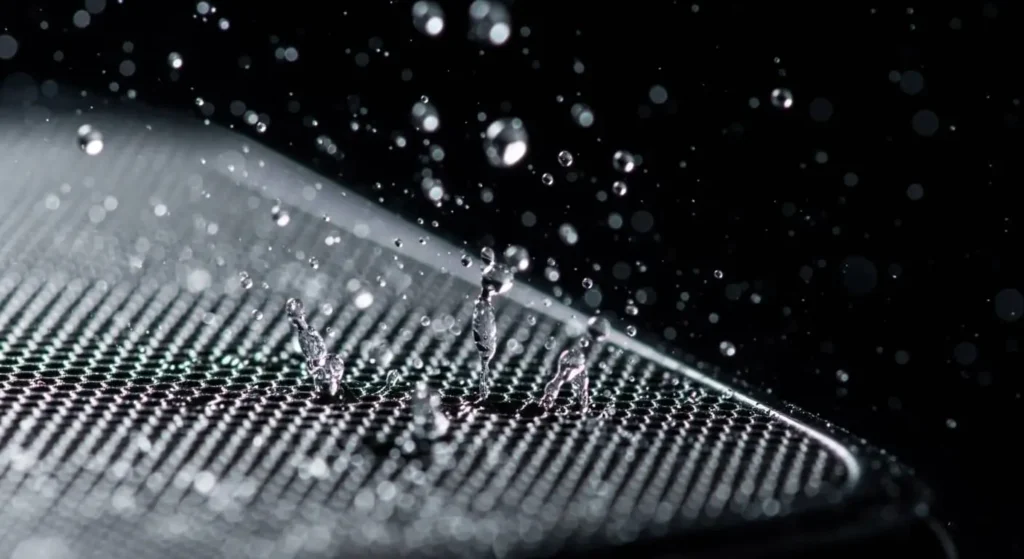
After the cycle finishes, wipe away any water that emerges. Don’t let it sit there and potentially get sucked back in. Quickly wiping with your cloth removes it completely.
Step 5: Testing and Repeating
After one cycle, test your speaker with different audio types. Try bass-heavy music first—this will reveal whether low frequencies are still blocked. Then play clear speech—this shows mid-range clarity. Finally, test high-pitched tones.
Most phones require 2-3 full cycles to remove water fully. The first cycle breaks water loose. The second pushes it toward exits. The third gets stubborn droplets that hold on.
Critical detail: Wait 10-15 minutes between cycles. This pause lets the loosened water evaporate rather than just redistributing inside your phone. Rushing through multiple cycles back-to-back is less effective than spacing them properly.
Step 6: Final Verification
After your final cycle, do comprehensive testing. Play your favorite song at different volumes. Make a phone call. Watch a video. Listen for any remaining distortion or muffling.
If everything sounds crystal clear, you’re done. If you still notice problems, run one more cycle. I’ve never needed more than four cycles total, even with phones that were fully submerged.
Five Critical Mistakes That Make Water Damage Worse
Over the past year, I’ve watched people try to fix water-damaged speakers. Some succeed quickly. Others make their situation worse. Here are the mistakes that cause the most problems.
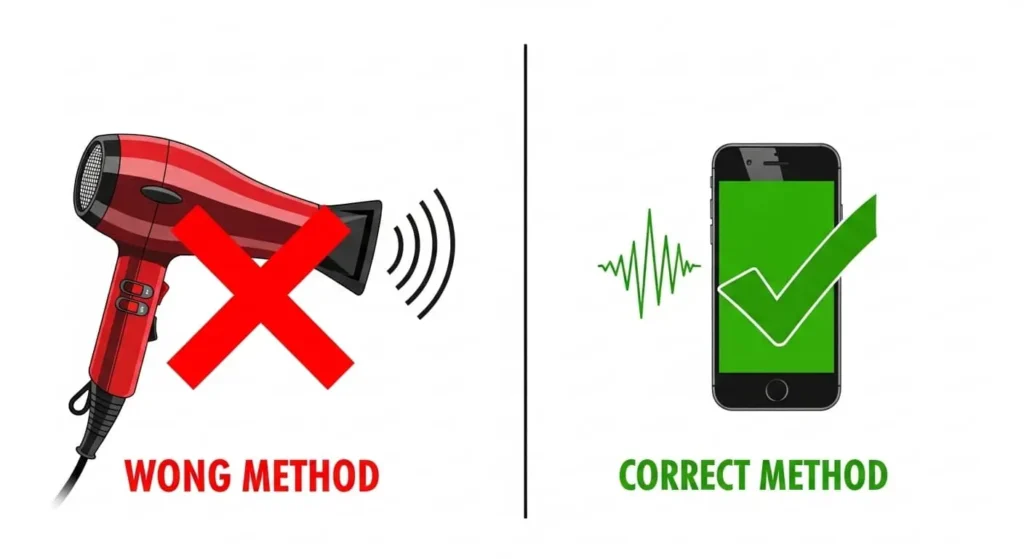
Mistake 1: Using Heat to Dry Faster
This is the biggest error I see. Someone panics and grabs a hair dryer. Seems logical—heat evaporates water, right? Wrong approach for electronics.
I made this mistake myself with an old iPod years ago. The heat melted internal adhesives and warped plastic components. The speaker that survived water damage was destroyed by my “helpful” attempt at drying it. Later, a repair technician told me that heat damage is more common in their shop than water damage.
Heat also pushes water deeper instead of removing it. The steam created by evaporation can penetrate further into your phone’s interior, reaching components that the initial water exposure missed. Room temperature air works better every time.
Mistake 2: Waiting Too Long Before Taking Action
Water damage is a race against time. Every hour you wait increases the risk of permanent damage. Mineral deposits form. Corrosion begins. Components short-circuit.
My friend Sarah dropped her iPhone in the pool at 2 PM. She figured she’d deal with it after dinner. By 8 PM, when she finally tried cleaning it, the speaker was permanently damaged. Cost her $120 for professional repair.
Compare that to my nephew, who spilled juice on his phone during breakfast. We used the sound wave method immediately. Ten minutes later, his speaker worked perfectly—same problem, different response time, completely different outcomes.
Mistake 3: Playing Regular Music at High Volume
Before learning about proper speaker cleaning, I tried blasting bass-heavy music to shake water out. Didn’t work well and risked damaging speakers already stressed from moisture.
Regular music contains random frequencies playing together. Sometimes this helps accidentally, but it’s not optimized for water removal. The speaker diaphragm moves unpredictably instead of in the sustained, powerful patterns needed to push water out efficiently.
Dedicated water eject tones use pure, sustained frequencies at specific levels. This creates consistent pressure patterns that systematically force water toward exit points. Huge difference from random music playback.
Mistake 4: Using Sharp Objects to Clear Blockages
I watched someone try to clean their speaker grill with a toothpick. Seemed reasonable—directly remove the blockage, right? They punctured the speaker membrane. Microscopic tear; permanent damage to sound quality.
Even if you think you’re being careful, speaker membranes are incredibly thin and delicate. One small slip causes irreversible damage. The repair technician told me that torn speaker membranes are among the most common DIY-caused problems they see.
Sound wave cleaning is completely non-invasive. Nothing touches the delicate components. The vibrations do all the work without risking physical damage.
Mistake 5: Turning the Phone On Too Early
People get impatient. They want to check if the fix worked. They power the phone on while moisture remains inside. This causes short circuits that create new problems beyond the original water damage.
After cleaning cycles, wait at least 30 minutes before powering on. Better yet, wait a few hours if you have time. Let any remaining moisture evaporate completely. The few hours of patience can save hundreds in repair costs.
Device-Specific Tips: iPhone, Samsung, and Android Phones
Different phones have different speaker configurations. Knowing these details helps you target the cleaning process more effectively.
How to Eject Water From iPhone Speaker
iPhones since the iPhone 7 include water resistance ratings (IP67 or IP68). This doesn’t mean waterproof. Water still enters speaker grills. The difference is that it usually doesn’t reach critical internal components as quickly.
One iPhone-specific detail: the Lightning port moisture detection. If your charging port detects water, it prevents charging until everything dries. You’ll see an alert saying “Liquid Detected in Lightning Connector.”
Don’t try forcing it. Let the speaker-cleaning process run, give adequate drying time (usually a few hours), and the system resets automatically. Forcing a charger connection while moisture remains can damage the port.
iPhones typically have two speakers: one at the bottom, one at the top (earpiece). Clean the bottom speaker first since that’s usually the main audio output. Then address the earpiece if phone calls sound muffled.
Samsung Speaker Cleaning Process
Samsung Galaxy phones (S series and Note series) commonly have stereo speaker setups. One speaker at the bottom, another at the top. Both need attention when removing water from phone speaker components.
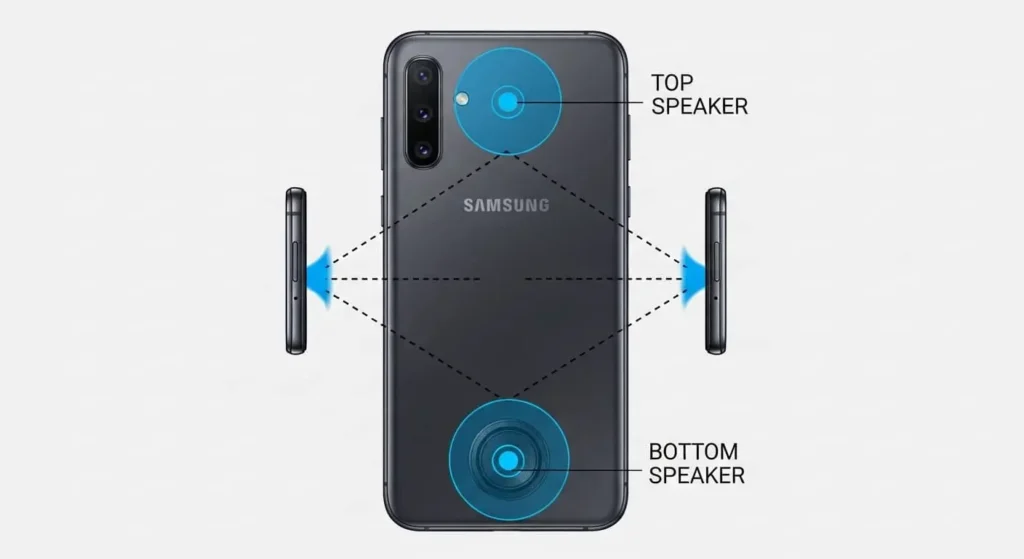
I clean each speaker individually by rotating the phone between cycles. Place the bottom speaker first (main audio), then flip it to address the top speaker (secondary audio). This systematic approach ensures both speakers get thoroughly cleaned.
Samsung’s water resistance (IP68 on most recent models) is excellent, but salt water, chlorinated pool water, or soapy water can still cause problems. These liquids leave residue even after the water evaporates. The sound wave method helps remove both water and residue.
Other Android Phones
Speaker configurations vary widely across Android manufacturers. Google Pixel, OnePlus, and Xiaomi each position speakers differently. Some have stereo setups, others use single bottom-firing speakers.
Check your specific model’s speaker location before cleaning. This determines the optimal positioning during the water-ejection process. Bottom speakers need the phone flat with the speaker down. Side speakers need different angles.
Not all Android phones are water-resistant. Older models or budget phones might lack IP ratings entirely. These need even faster response times when exposed to water, since they have no built-in protection.
Preventing Phone Speaker Water Damage Before It Happens
Fixing problems is good. Preventing them is better. After dealing with enough water-damaged speakers, I developed habits that eliminate most issues.
Monthly Preventive Maintenance
I run the speaker cleaning tool briefly every month, even without obvious problems. Takes two minutes to apply and prevents dust buildup while removing moisture from humid environments.
Think of it like changing your car’s oil. Regular, small maintenance prevents big, expensive problems. Since starting monthly cleaning, I haven’t had any serious speaker issues despite daily phone use in various environments.
Environmental Awareness
Certain situations increase water damage risk. I’m careful now in:
- Kitchens near sinks and stoves
- Bathrooms during showers
- Pools, beaches, and water activities
- Rainy weather outdoors
- Workshops with liquid chemicals
In these situations, either keep your phone completely away or use appropriate protection like waterproof cases.
Choosing the Right Waterproof Case
Not all cases claiming water resistance actually work. I learned this during a beach trip when my “waterproof” case failed. The phone inside got soaked despite the case being sealed.
Look for IP68 ratings from established brands. Read reviews from people who’ve tested them during real accidents, not just marketing claims. Good waterproof cases cost $30-50 but save hundreds in potential repair costs.
Test your case before relying on it. Fill a sink with water, seal your phone in the case, and submerge for 30 seconds. Check inside immediately. If any moisture entered, the case isn’t trustworthy for real protection.
How to Remove Dust From Speaker Grill (Not Just Water)
Water gets attention because it’s dramatic and immediate. Dust accumulates slowly, making it easy to miss until sound quality noticeably degrades.
I first noticed this with my daily phone after six months of use. Music that used to sound crisp started feeling muffled. Voice calls required a higher volume. I assumed my hearing was declining until I tested the same audio on my laptop—the laptop sounded fine. My phone speaker was clogged with dust.
How Dust Accumulation Affects Sound Quality
Dust particles lodge in speaker grills and on the diaphragm surface. Unlike water, which causes immediate muffling, dust creates gradual degradation. You might not notice daily changes, but comparing sound quality to a new phone reveals significant differences.
The problem compounds over time. Initial dust creates rough surfaces that trap more dust. After months, the buildup becomes thick enough to block the sound holes in the speaker grill physically. Volume drops. Clarity disappears. Certain frequencies go missing entirely.
Using Sound Waves to Clean a Dusty Phone Speaker
The same water ejection method works for dust, but with emphasis on high frequencies. Dust particles are lighter than water droplets and respond better to rapid vibrations.
When I clean dust specifically, I focus on the high-frequency portions of the cleaning cycle. These rapid oscillations shake fine particles loose from where they’ve settled in speaker components.
For severe dust buildup, combine sound waves with gentle brushing. Use a soft-bristled brush (camera lens brushes work perfectly) to loosen surface dust, then run the sound wave sequence to clear deeper particles. This combination handles even heavily clogged speakers.
Compressed Air for Visible Dust
If you can see dust in your speaker grill, use compressed air before cleaning with sound waves. Hold the can about three inches away and use short bursts—never continuous spray that pushes debris deeper.
Angle the air stream across the surface, not directly into holes. Direct pressure forces particles into internal components instead of removing them. Angled application lifts dust away from openings.
After compressed air removes visible dust, follow with sound wave cleaning. This gets particles inside the speaker chamber that external air can’t reach. The combination provides thorough cleaning from outside in and inside out.
How to Properly Test Speaker Performance After Water Removal
Don’t assume your speaker is fixed after one successful cleaning cycle. Proper testing reveals problems that casual listening might miss.
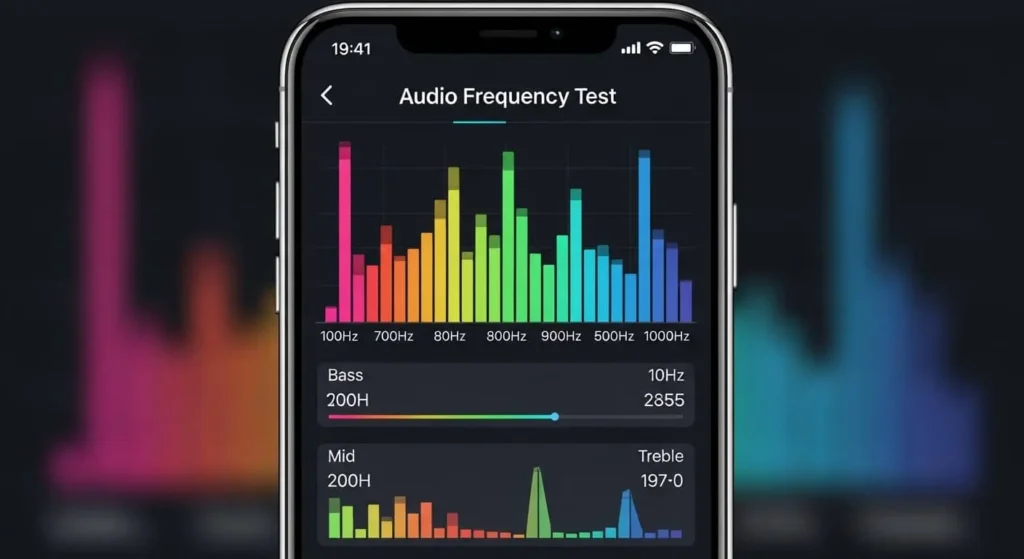
Frequency Range Testing
Test across the entire audio spectrum. Low bass around 100 Hz, mid-range speech frequencies around 1000 Hz, high notes up to 10,000 Hz. Each frequency range reveals different issues.
Several free apps generate these test tones. I use a tool called “Speaker Test” that automatically cycles through frequencies. Takes 30 seconds and shows exactly which ranges still have problems.
Volume Level Testing
Test from minimum to maximum volume. Some water damage causes distortion only at high volumes. Clean speakers maintain clarity across the entire range.
If distortion appears only at maximum volume, there may be residual moisture or slight hardware damage. Run another cleaning cycle or let the phone dry longer before retesting.
Stereo Balance Check
If your phone has multiple speakers, compare their output. Significant differences suggest incomplete cleaning in one speaker.
Play audio that alternates between left and right channels. Both speakers should sound equally clear and loud. If one seems quieter or more muffled, focus additional cleaning cycles on that specific speaker.
Real-World Content Testing
After technical tests, use real content. Play familiar music, watch video clips, and make phone calls. Real usage reveals problems that technical tests might miss.
I always test with music I know extremely well. If my favorite album sounds even slightly off, something’s still wrong, even if the test tones sounded fine. Trust your ears—you know how your phone should sound.
Real Results: What Actually Happens When You Try This Method
Since learning this technique, I’ve helped fix probably 30+ water-damaged speakers. Clear patterns emerge from that experience, showing exactly what to expect.
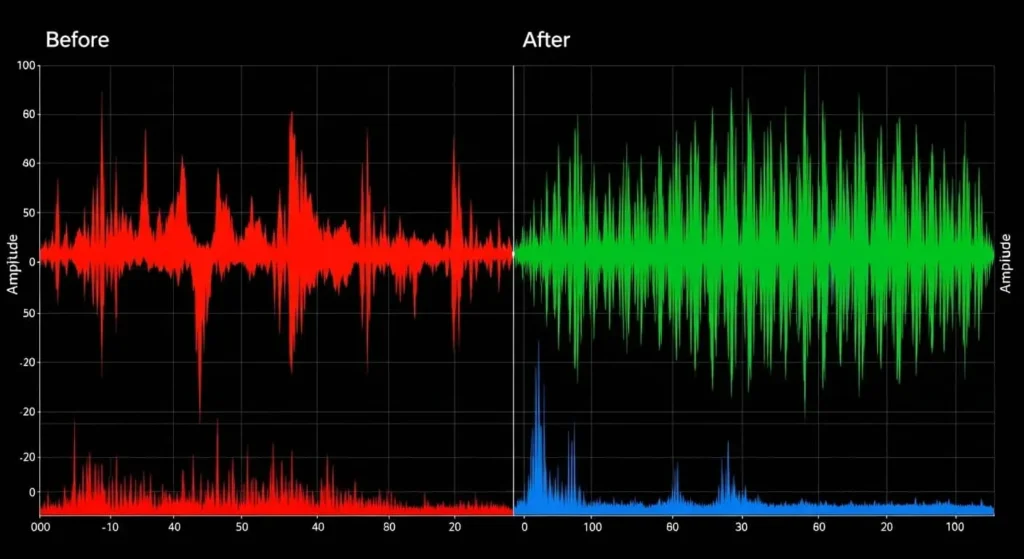
Success Rate for Different Water Exposure Types
Brief splashes (kitchen sink, rain, spilled drinks): 95% success rate. Most resolve within 2-3 cleaning cycles when addressed within the first hour.
Extended contact (phone sitting in shallow water, heavy rain exposure): 75% success rate. Requires 3-5 cycles plus longer drying time.
Submersion (dropped in a pool, toilet, or full bath): 50% success rate with DIY methods. Often needs professional internal cleaning regardless of initial success.
Response Time Impact on Success
Immediate response (within 1 hour): Highest success rate. Water hasn’t penetrated deeply. Minerals haven’t deposited. Corrosion hasn’t started.
Same day response (1-6 hours): Success rate, but requires more cycles. Some mineral deposits may have formed.
Next day response (12-24 hours): Mixed results. Corrosion may have begun. Success depends on the water type and the device condition.
Delayed response (24+ hours): Low success rate for DIY. Professional service becomes necessary for reliable results.
Device Age Considerations
New phones (0-1 years): Highest success rate. Speakers have less accumulated wear, making cleaning more effective.
Moderate age (1-3 years): Good results but may need additional cycles. Some wear and tear is present, but the speakers remain mostly healthy.
Older phones (3+ years old): Lower success rate. Years of dust accumulation and speaker membrane wear reduce effectiveness. Water damage on top of existing problems is harder to reverse fully.
Final Thoughts: Why Sound Wave Cleaning Should Be Your First Response
That evening, when soapy water splashed my iPhone speaker, it taught me something valuable. Most speaker problems don’t need expensive repairs, long waits at service centers, or risky DIY methods.
Sound-wave cleaning works because it leverages physics. Specific frequencies generate vibrations that naturally dislodge water and dust. No heat damage risk. No physical contact with delicate components. Just pure physics doing what it does best.
I’ve saved my friends and me hundreds of dollars by knowing this technique. More importantly, I don’t panic anymore when accidents happen. Water splashes near my phone? No problem—I know exactly what to do. Dust building up? Monthly maintenance keeps everything clear.
The method’s effectiveness depends on response speed. Act immediately, follow the proper technique, and most water damage resolves within 10 minutes. Wait too long, and you’re looking at professional repairs.
Your phone’s speakers are tougher than you think, but need proper care. Sound wave cleaning provides exactly that—scientific, safe, surprisingly effective maintenance that keeps your audio crystal clear.